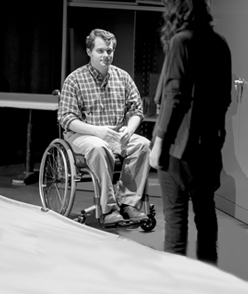

In keeping with the central tenets of its mission – teaching and learning, faith and formation, and service and leadership – the University of Portland is committed to the full access and inclusion of all qualified students in its programs. It is the policy of the University to ensure that students with disabilities have equal opportunity for participation in the University’s academic programs and activities, in accordance with Section 504 of the Rehabilitation Act of 1973 and the Americans with Disabilities Amendments Act.
If you experience barriers related to a disabling condition, the Accessible Education Services (AES) office is a safe place to discuss disclosing your disability and, when appropriate, determine reasonable accommodations.
University of Portland
5000 N. Willamette Blvd.,
Portland, Oregon 97203-5798
503.943.8000
This website uses cookies to track information for analytics purposes. You can view the full University of Portland privacy policy for more information.